
Working with iFrames is one of the biggest challenges in UI automation. Most automation tools require manual frame switching, careful handling of nested frames, and multiple lines of code.
But Sedstart makes iFrame handling simple, clean, and user-friendly.
In this blog, we’ll cover:
- Why handling iFrames is usually difficult
- How Sedstart makes it easier
- Two iFrame-handling methods
- Nested iFrames with examples
- Sample code snippets
- Screenshot references for better understanding
Why iFrames Are Difficult in Most Tools?
In Selenium/Playwright, iFrame handling requires:
· Identifying frame
· Switching context
· Locating elements inside the frame
· Switching back
This becomes especially hard when frames are nested.
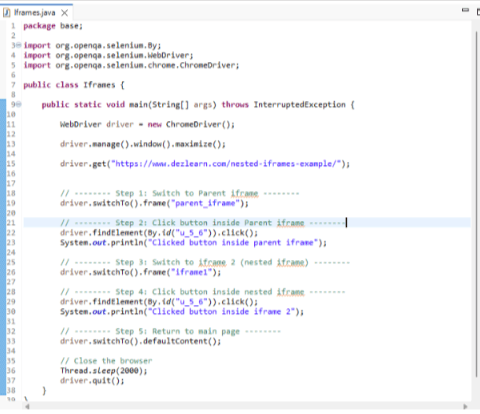
Example: Selenium code for nested iFrames
driver.switchTo().frame("parentIframe");
driver.findElement(By.id("parentBtn")).click();
driver.switchTo().frame("iframe2");
driver.findElement(By.id("childBtn")).click();
driver.switchTo().defaultContent();
This complexity makes debugging harder.
Screenshot Example:
How Sedstart Makes iFrame Handling Simple?
Sedstart provides two easy methods:
Method 1: Record & Play (No Code Required)
Record & Play automatically:
· Detects iFrames
· Identifies nested iFrames
· Records element interactions
· Replays without manual switching
Steps:
- Create a new function testcase
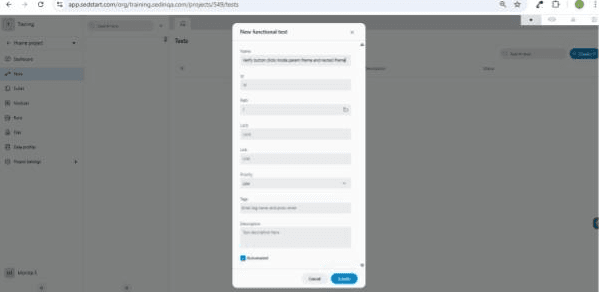
- Select the Record option inside the testcase.
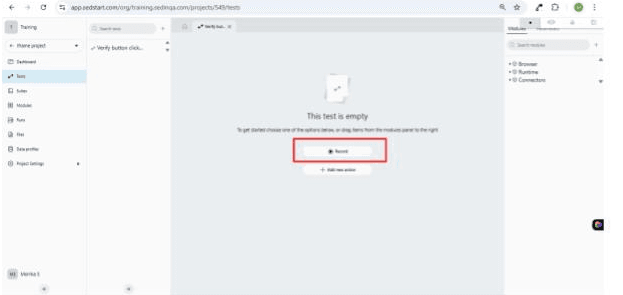
- Enter the URL and click the next button.
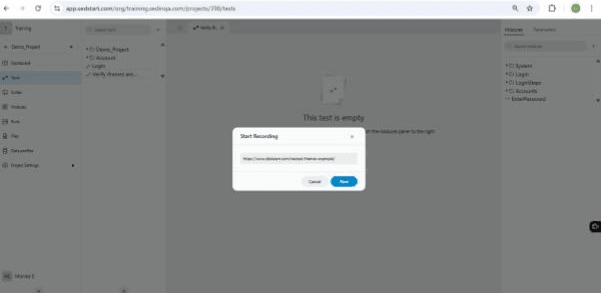
- Perform actions inside the iFrame
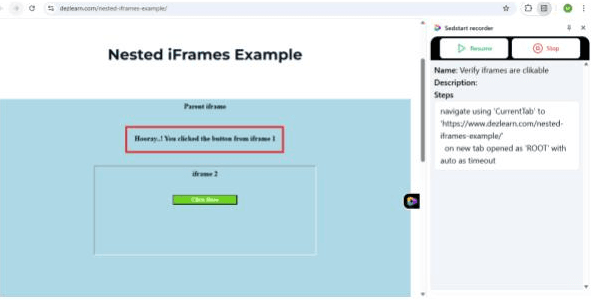
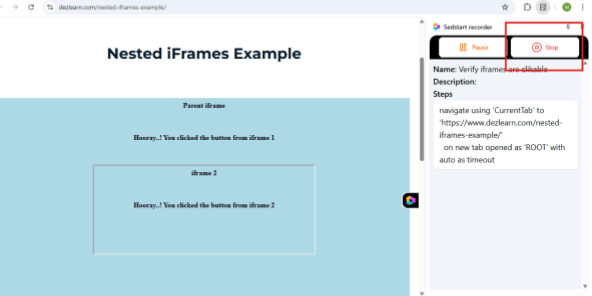
- Click the stop button.
- Switch back to sedstart, we will have a list of actions we have performed. Now Run the testcase using Run button.
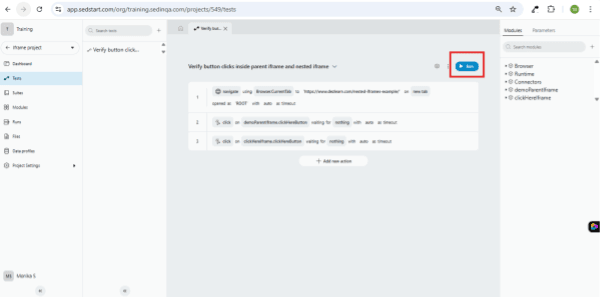
Sedstart internally handles all frame switching → No extra code needed.
Method 2: Manual Locator Method (For Full Control)
If you prefer writing custom steps, Sedstart allows passing iFrame locators in an array.
Handling Simple iFrames
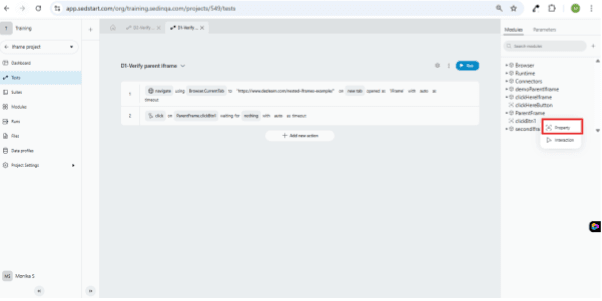
If an element is inside a single iFrame, follow these steps:
- Create an iFrame object and provide the locator for that iFrame.
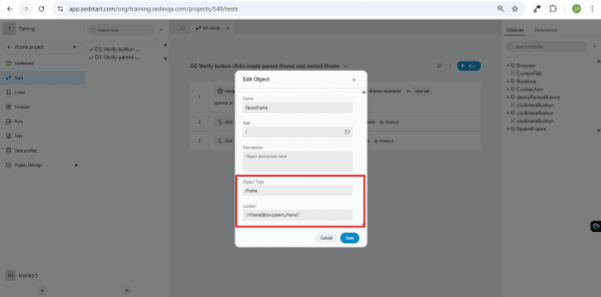
- Access the elements inside the iFrame by defining them as properties within the iFrame object and then perform the required actions.
Handling Nested iFrames Using Array
Nested iFrames = iFrame inside another iFrame.
Example structure:
Main Page
└── iframe 1 (#outerFrame)
└── iframe 2 (#innerFrame)
└── Element (Click Button)
Steps:
- Create an iFrame object and provide the locator for the nested iFrame in an array.
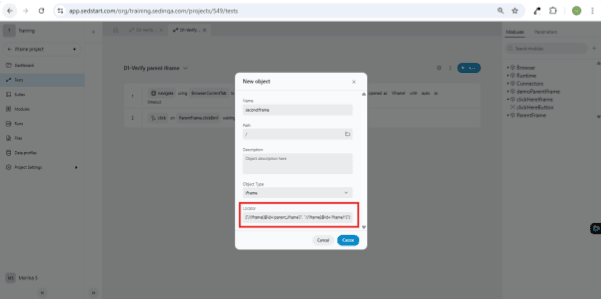
- Create the elements inside the iframe object to perform the actions.
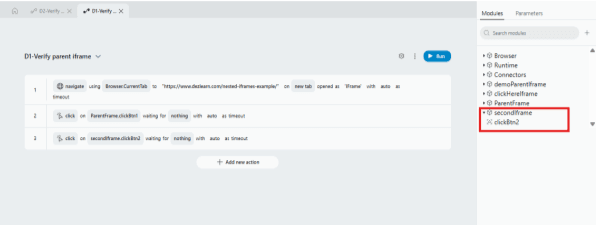
No need to manually switch context!
Automated iFrame Execution with Sedstart
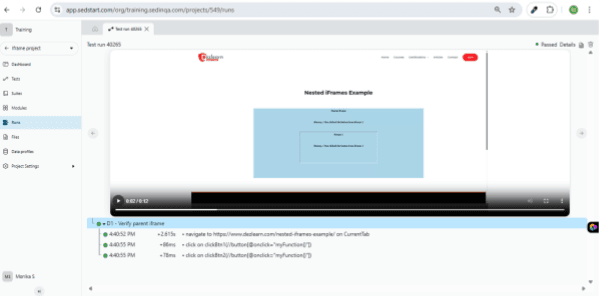
During the test run, Sedstart clearly displays each action performed inside the iFrames along with a video recording of the execution. The run log showed how the tool identified the parent and nested iFrames automatically and executed the button clicks without any manual frame switching. The testcase passed successfully, proving how efficiently Sedstart handles even complex iFrame structures.
Why Sedstart Wins Over Traditional Tools?
| Feature | Selenium | Playwright | Sedstart |
|---|---|---|---|
| Auto-detect iFrames | ❌ | ❌ | ✔ |
| Handle nested frames easily | ❌ | ⚠️ Moderate | ✔ |
| Record inside iFrames | ❌ | ❌ | ✔ |
| Code required | High | Medium | Low / None |
| Beginner-friendly | Low | Medium | Very High |
Final Thoughts
Nested iFrames are one of the trickiest parts of UI automation—but Sedstart makes it incredibly simple with:
· Record & Play iFrame detection
· Manual array method for nested frames
o ["iframe1locator","iframe2locator"]
o array("framelocator1","framelocator2")
Whether you're a beginner or an experienced QA engineer, Sedstart helps you automate iFrame-heavy applications with less code and more confidence.