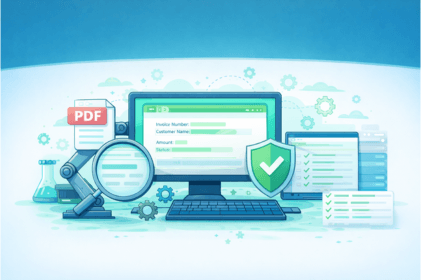
Validating PDF content is one of the most challenging tasks in UI automation. Traditional tools like Selenium, Playwright, or Cypress cannot read PDF content directly, which forces QA engineers to rely on external libraries, manual downloads, or complex parsing logic.
But with Sedstart, PDF validation becomes simple, fast, and completely codeless — whether you're validating text, invoice numbers, or entire paragraphs.
In this blog, we’ll cover:
- Why PDF validation is difficult in automation
- How Sedstart simplifies PDF processing
- PDF validation methods in Sedstart
- Validating text, content, and numbers
- Real automation example
- Sample logs & screenshots
- Why Sedstart is better than traditional tools
Why PDF Validation Is Difficult in Most Automation Tools?
In traditional automation frameworks, validating PDF content requires:
· Downloading the PDF manually
· Using external libraries (PDFBox, PyPDF2, iText, etc.)
· Writing long parsing code
· Handling font encoding issues
· Difficulty comparing multi-page content
Example (Selenium + Java):
PDDocument document = PDDocument.load(new File("sample_validation.pdf"));
PDFTextStripper stripper = new PDFTextStripper();
String content = stripper.getText(document);
// Print content for debugging
System.out.println(content);
// Validations
Assert.assertTrue(content.contains("Sample PDF for Validation Testing"));
Assert.assertTrue(content.contains("Invoice Number: INV-2025-0045"));
Assert.assertTrue(content.contains("Customer Name: Test S"));
Assert.assertTrue(content.contains("Order Date: 08-Dec-2025"));
Assert.assertTrue(content.contains("Amount: 1,250"));
Assert.assertTrue(content.contains("Status: Payment Successful"));
Assert.assertTrue(content.contains("This PDF is created for automation testing and validation in Sedstart."));
Assert.assertTrue(content.contains("End of PDF."));
document.close();
This setup needs dependencies, file handling, and complex code — not beginner-friendly.
How Sedstart Makes PDF Validation Easy
Sedstart offers built-in PDF reading and validation with zero setup.
With Sedstart you can:
- Extract text from PDF (single or multiple pages)
- Validate specific lines or keywords
- Validate complete content
- Validate dynamic values from the PDF
- No code OR minimal code based on your preference
You simply open the PDF on run time and Sedstart handles all the given validations behind the scenes.
How to Validate PDF Content in Sedstart
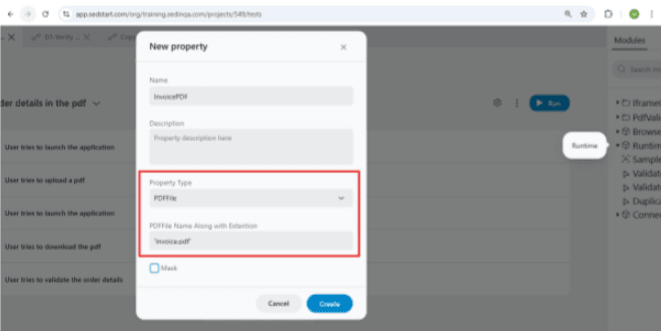
1. Create a Runtime Property
Create a new property of type PDFFile inside the Runtime Object. Give a meaningful name to the PDF file with extension (e.g., invoicePDF.pdf).
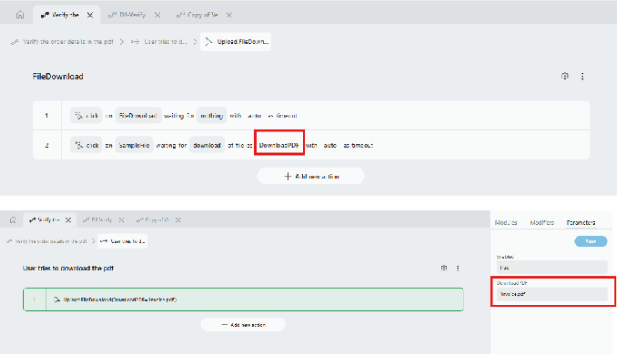
2. Map the PDF File in the Download Action
In the Download action, assign the same PDF File name with extension. This allows Sedstart to open the PDF at runtime and read its contents.
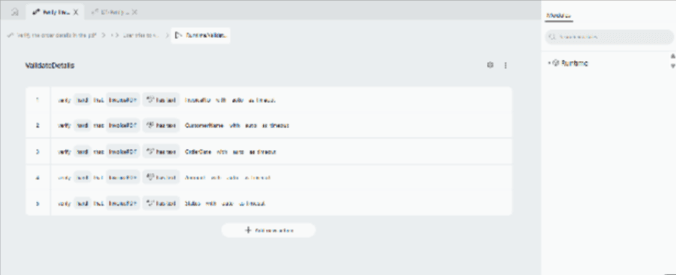
3. Add Your PDF Validations
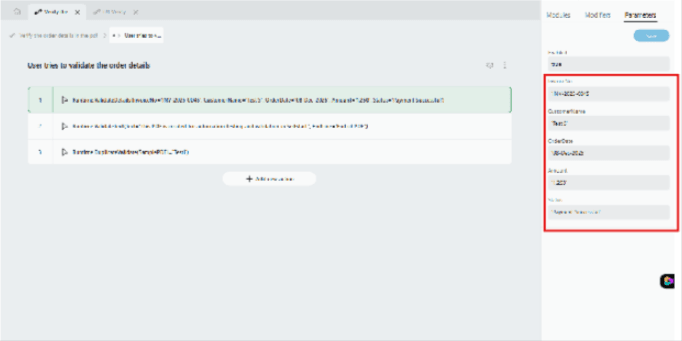
Drag and drop the PDF file property into your testcase. Add the specific text or values you want to validate such as:
o Invoice number
o Customer name
o Order date
o Amount
o Status
4. Run the Testcase
Execute the testcase normally.
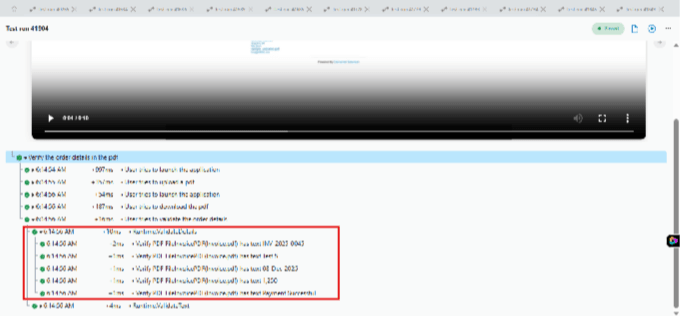
5. Sedstart Performs Automatic PDF Parsing
Sedstart automatically opens the downloaded PDF, parses its text internally, and validates all the fields you added—no additional code required.
Use-cases:
· Checking invoice numbers
· Checking order IDs
· Checking static text in a report
· Checking page titles or headers
Why Sedstart Is Better for PDF Validation?
| Feature | Selenium | Playwright | Sedstart |
|---|---|---|---|
| Built-in PDF reader | ❌ | ❌ | ✔ |
| No code required | ❌ | ❌ | ✔ |
| Extract multi-page text | ⚠️ Requires library | ⚠️ Requires code | ✔ |
| Auto-download handling | ❌ | ⚠️ | ✔ |
| Beginner-friendly | Low | Medium | Very High |
Final Thoughts
PDF validation is one of the most painful parts of automation — but with Sedstart you can:
• Extract PDF text easily • Validate content without coding • Handle dynamic invoice or report data • Compare complete PDF files • Automate complex flows with confidence
Whether you're validating invoices, reports, bank statements, medical records, or certificates, Sedstart makes PDF automation smooth and reliable.